Pricing Settings — Labour Rate, Parts Markup & Margins
Settings → Pricing (garage admin only) is where every default price comes from. The cards are Labour rate, How a part's price is worked out, Parts Markup Matrix and Margins. Everything saves with the Save bar at the bottom of the page. Every price on this page -- the labour rates, the cost limits of the markup bands and the call-out charge -- is ex VAT; VAT is added on the quote and invoice at the line's rate.
The consumables / sundries charge and your charges & levies (CVRT test, tyre disposal levy) are in Inventory → Charges -- see Charges, Levies & the Consumables Charge.
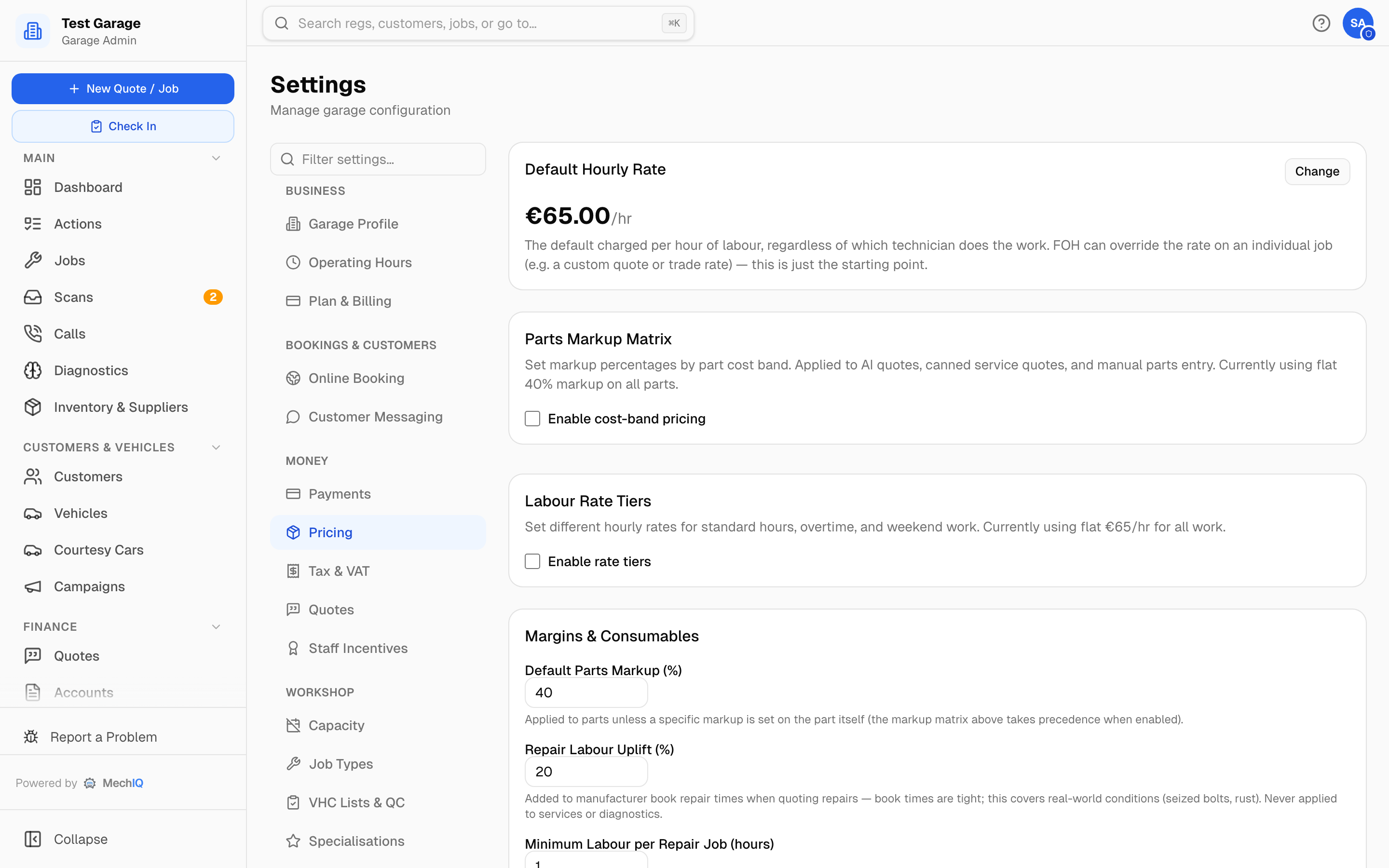 Settings → Pricing.
How a particular job type is priced (hours × rate, fixed menu price, or per-car from the manufacturer's schedule) is set on the job type itself — see Job Types.
Labour rate
One field: the Standard rate -- what you charge per hour of labour (ex VAT), whoever does the work. Quotes, estimates and clocked time all use it. It is also what the setup wizard asks for as "what you charge an hour". FOH can still change the rate on one job (a trade rate, a custom quote).
To charge more for out-of-hours work, tick Charge a different rate for overtime and weekends. Two more fields appear:
- Overtime rate -- jobs booked before 8am or from 6pm.
- Weekend rate -- jobs booked on a Saturday or Sunday.
They start at your standard rate +30% and +15%. Everything else -- Mon–Fri 8am–6pm, and every job with no booked time -- is charged the standard rate. There is no separate "standard tier": change the standard rate and the next quote uses it.
How a part's price is worked out
A part's price is its cost plus a markup, before VAT. MechIQ uses the first rule that applies, from the top; the card shows which rules are on for your garage now:
- A price or markup typed on the job -- the desk sets it on one line. A fixed sell price is never changed by the rules below.
- The part's own markup -- set on the part in Inventory. Leave it blank there and the garage policy below applies.
- Tyre Markup -- tyres only, when set.
- Cost bands (Parts Markup Matrix) -- when on.
- Default Parts Markup -- every part no rule above prices.
Then: a part is never charged below its retail price (RRP) when a supplier price list gives one. An account customer's own Parts markup (%) is applied on the invoice only when it is lower -- a discount, never an extra charge. Target Profit Margin guides the markup the AI suggests on a quote; it does not change a price on its own.
Parts Markup Matrix
Off by default — you use the flat Default Parts Markup below on every part. Tick Enable cost-band pricing to mark parts up by cost band instead. The starting bands are:
| Parts up to | Markup |
|---|---|
| €10 | 100% |
| €50 | 60% |
| €200 | 40% |
| €9,999 | 25% |
Edit any band, Add Band or remove one; the preview shows the resulting ranges. Applied to AI quotes, canned service quotes and manual parts entry.
Margins
- Default Parts Markup (%) — used for a part with no markup of its own while the cost bands are off (see the order above).
- Padding on book repair times (%) — default 20% (the same field the setup wizard asks for). Added to manufacturer book repair times when quoting repairs, because book times are tight (seized bolts, rust). Never applied to services or diagnostics.
- Minimum Labour per Repair Job (hours) — default 1. A short repair priced off book times (even after the uplift) is floored to this; the shortfall appears as a "Minimum labour charge" line FOH can approve, reduce or remove per job. Repair quotes only. Set 0 to turn off.
- Call-outs / Recovery — off by default. Tick Offer call-outs and recovery and set the call-out charge. It is added as its own line on top of normal hourly labour; the work itself is priced as it would be in the workshop. Call-outs are bookable by the front desk only, never on the public booking page. Set 0 if you absorb the charge.
- Labour Cost — Cost my labour (show net margin), off by default. On, your reports show labour margin net of what the labour cost you (each technician's hourly cost from the Team page); off, labour margin is gross. Every technician needs an hourly cost before this can be turned on — it's all or nothing. Hourly costs are visible to garage admins only.
- Tyre Markup (%) (optional) — tyres use this instead of the cost bands and carry no separate fitting labour, so set it to cover fitting. Leave blank to price tyres off the matrix.
- Target Profit Margin (%) (optional) — guides parts markup in AI quotes, and Reports → Financial shows an amber banner when a period's gross margin falls below it. See Target Profit Margin.
Related
- Charges, Levies & the Consumables Charge — the consumables charge, CVRT test, tyre levy.
- Tax & VAT — the VAT rate applied to each line.
- Trade Accounts — per-account discounts and rates for trade customers.