End-of-Day Cash-Up
At the end of the day, the cash-up shows what money came in and how, so you can check it against the till and the card terminal before locking up.
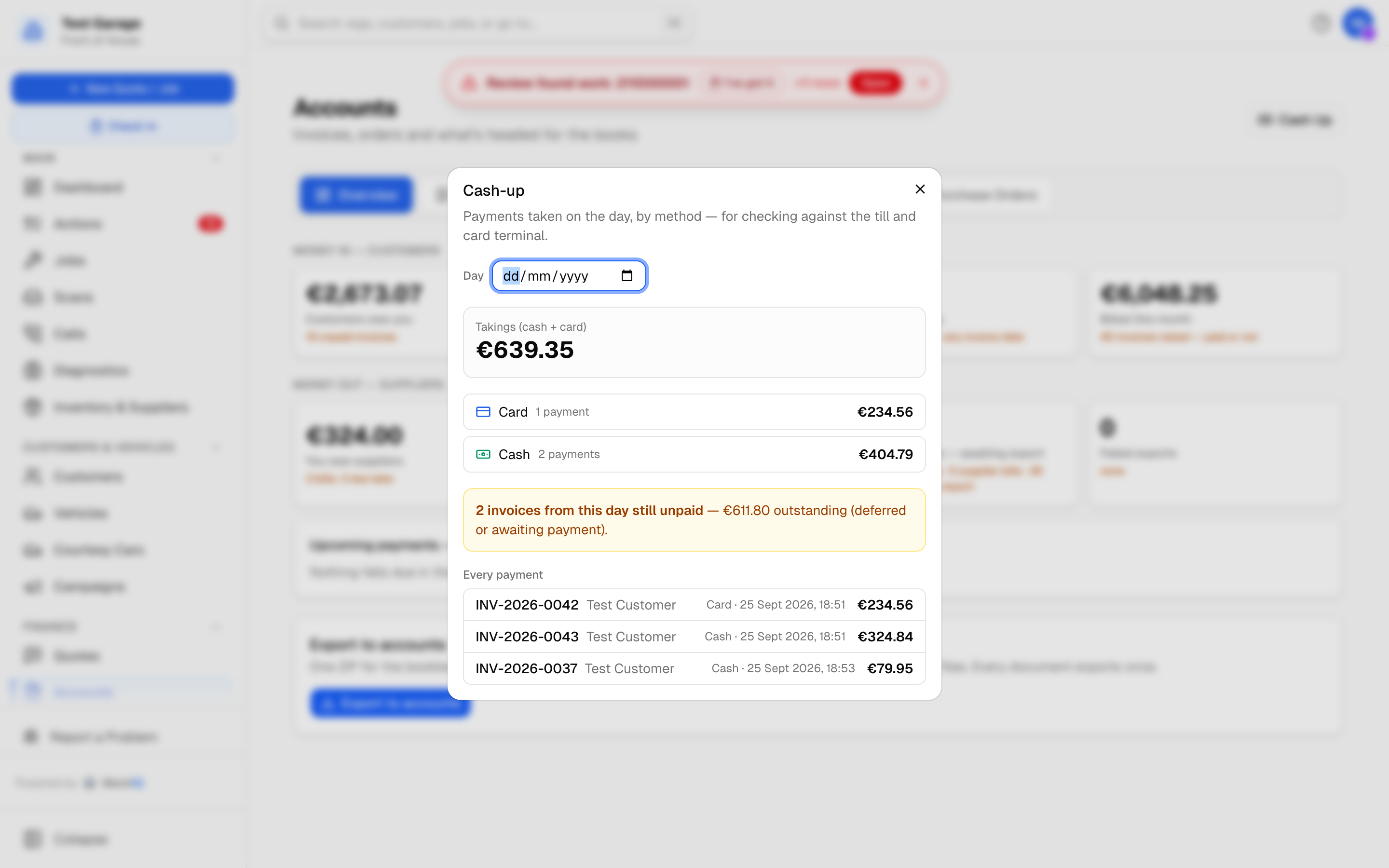 Cash-up for today. Takings, the split by method, and the list to trace any difference against the till roll.
Running the cash-up
- Open Accounts in the sidebar (under Finance).
- On the Overview tab, click Cash-up in the top-right.
The dialog shows, for the day in the Day field (today when it opens):
- Cash -- should be in the till -- the cash payments taken that day, less any cash refunds. This is the figure the till must match.
- Card -- check against the terminal total -- card payments. Card money goes to the bank through the terminal, so it is never in the till; check it against the terminal's end-of-day total. (Bank transfers and cheques are listed by method below -- the Accounts board's Takings today includes everything received.)
- By method -- a row per payment method with the number of payments and the total. On account and Written off appear here too but are not counted in takings: an invoice put on account is paid later and a written-off one is not paid at all, so neither is money in the till.
- Every payment -- each payment with its invoice number, customer, method, time and amount inc VAT, so you can trace any difference.
- Refunds -- money paid back to a customer shows as a negative row named Refund (a refund of their credit, or Refund of CN-… for a credit note refunded in cash, card or bank transfer), and it comes off the takings. A cash refund taken out of the till is accounted for here, so the till still balances.
"Today" runs on your garage's own time zone, not UTC -- a payment taken at five past midnight counts on the right day.
Counting the till
- Count the cash in the till. Leave out the float.
- Type the amount in Cash counted in the till and click Save count.
MechIQ stores the count with the cash it expected and the difference -- for example €5.00 short or €12.50 over -- and shows who counted and when. Count the same day again and the new count replaces the old one. Add a note to say why the till is out (a cash refund given by hand, a float change).
Invoices still unpaid
If any invoices raised today are still unpaid, part paid or deferred, an amber line shows the count and the amount outstanding -- the "did everything that left the workshop get paid?" check before you close up. A part-paid invoice counts here for what is still owed on it, not its full total.
Reconciling a previous day
Use the Day date picker at the top of the dialog to run the same cash-up for any earlier date -- useful when yesterday's till did not balance.
Following up an unpaid invoice
Chasing is mostly yours to do. Open Overdue (under Finance) to see who is late, ring them, and record the payment when it comes in. Account customers get a statement instead. See Chasing overdue money, Recording a payment and Customer statements.
The one exception is the deferred-payment follow-up: if your garage admin has switched on deferred payment in Settings -> Payments, an invoice left as Pay later gets an automatic reminder once the configured number of days has passed. Nothing else goes out on its own.
Tips
- Save the count every evening. When the till is short, work through Every payment to find the cash payment that is missing or wrong.
- A payment recorded with the wrong date (a cheque banked last week) can be back-dated when you record it, so it lands in the right day's cash-up.