Chasing overdue money
Overdue (under Finance in the sidebar, or the Overdue tile on Accounts -> Overview) answers one question plainly: who owes you money that is past its due date, oldest debt first.
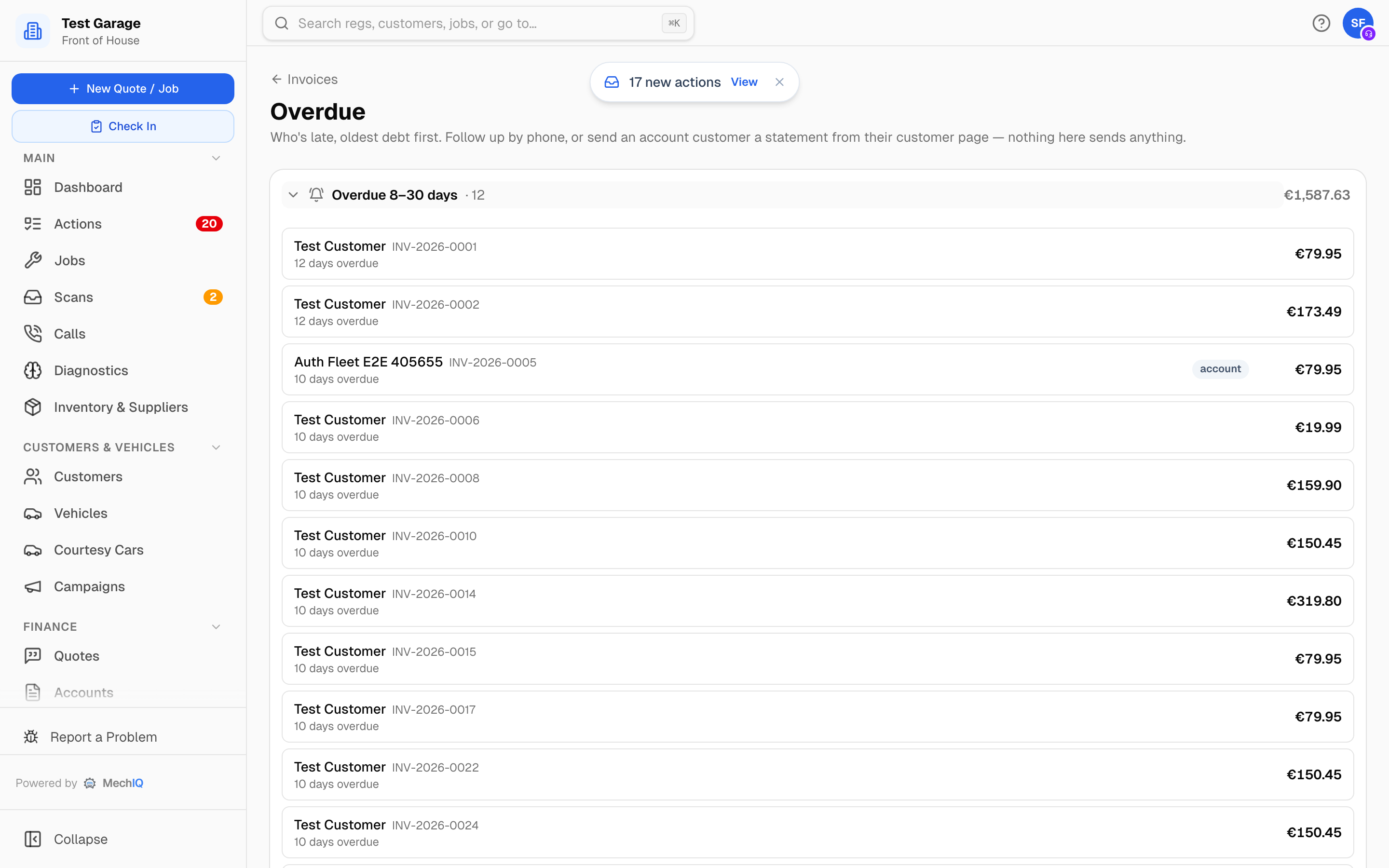 Overdue. Each group is collapsed until you open it; the total for the group sits on the right.
What counts as overdue
An invoice with a due date in the past that has not been paid or written off -- Owed, Part paid, Pay later or On account. The due date comes from the customer's payment terms (30 days, or end-of-month plus a month, whatever you agreed with them); a pay-now customer who walked out without paying shows here too once the default terms run out.
Days overdue are counted from the due date, not the invoice date, so a customer on 30-day terms does not appear the day after you invoiced them.
Reading the page
Invoices are grouped into Overdue 30+ days, Overdue 8--30 days and Overdue up to 7 days, oldest group first. The groups are counted inclusively, so an invoice exactly 30 days overdue sits in Overdue 8--30 days and the top group starts at 31 days. Click a group header to open it; the header shows the count and the group total. Each row shows the customer, the invoice number, how many days overdue, and the amount, plus:
- deferred -- it was left as Pay later at checkout.
- account -- a trade/fleet account customer. Send them a statement rather than ringing about a single invoice.
- no contact on file -- there is no phone or email; you will need to catch them at the counter.
- last reminded 12 Sep -- when the automatic deferred-payment follow-up last went out (only for garages with deferred payment switched on).
Clicking a row opens the job, so you have the details to hand when you ring.
If everything is paid or still within terms you see Nothing overdue.
Nothing here sends anything
This page is deliberately read-only. It tells you who to chase; you choose how.
- Phone them. Most overdue money is an oversight and a call fixes it faster than another email. Log the call on the customer's Messages tab so the next person knows.
- Send a statement. For an account customer, the Statement button on their customer page sends one document listing everything outstanding. See Customer statements.
- Record the payment. When the money comes in, record it with Take payment -- from Accounts -> Payments or the invoice's ... menu -- and the invoice drops off this list. See Taking a payment.
The one automatic message is the deferred-payment follow-up: if your garage admin has switched on deferred payment in Settings -> Payments, an invoice left as Pay later gets a follow-up after the configured number of days.
Credit limits
An account customer's balance is checked against their credit limit when new work is invoiced. If they are over, MechIQ shows a Credit limit advisory at checkout -- it does not refuse the work, because that is your call, not the software's.
Related: Taking a payment · Customer statements · Accounts