Tax & VAT Settings
Settings → Tax & VAT (garage admin only) sets the VAT rates used on your sales invoices. VAT on purchases (supplier invoices) is handled by your accounting package.
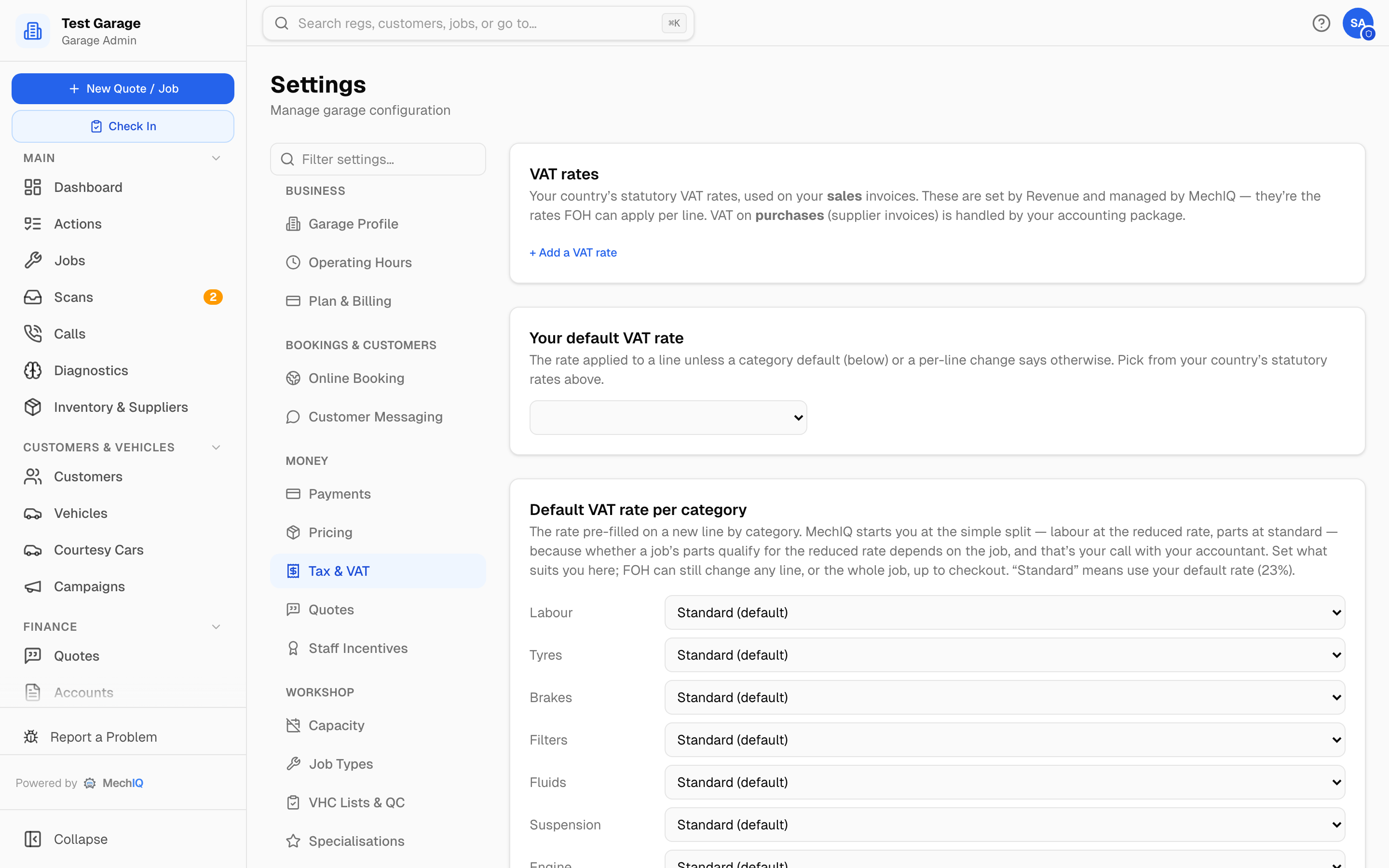 Settings → Tax & VAT. Rate edits save immediately per row; the garage default rate and per-category defaults save with the Save bar.
VAT rates
MechIQ sets up your country's statutory rates when the garage is set up — Ireland 23%, 13.5%, 9% and 0%; UK 20%, 5% and 0%. These are the rates FOH can apply to a line. Change or add one only when Revenue changes a rate or your accountant asks. A star marks the Garage default. On each row you can:
- Edit the percentage or label.
- Deactivate / Reactivate — a deactivated rate can't be picked on new lines. The garage default rate can't be deactivated.
- + Add a VAT rate — for example a second-hand margin scheme rate.
Changing a rate is safe: every invoice line records the percentage it used at the time.
Garage default VAT rate
The rate on a line unless a category default, the part itself or a change on the line says otherwise. Pick it from the rates above -- this is the one place to choose it. Everywhere else in MechIQ it is called Garage default (23%) (with your rate).
Default VAT rate per category
The rate pre-filled on a new line, by category: Labour, Tyres, Brakes, Filters, Fluids, Suspension, Engine, Electrical, Exhaust, Service kit and Other parts. Each defaults to Garage default (your garage default rate). MechIQ starts you at the simple split — labour at the reduced rate, parts at standard — because whether a job's parts qualify for the reduced rate depends on the job, and that's your call with your accountant.
Below the standard list come your own part categories -- every category in your parts catalogue, as it was typed on a part or as your import spelt it (a Garage Hive import brings codes like PARTS, PARTSNT and CONS). A new category typed on a part adds a row here; it uses the garage default until you pick a rate. Set a rate on one and every part in that category picks it up; capitals don't matter.
One item that needs a different rate from its category can carry its own rate: open the part in Inventory and set its VAT rate. A charge or levy (a CVRT test, say) has its own rate in Inventory → Charges. A part's own rate beats its category's default on every job and quote line it's added to; FOH can still change a single line. The order is: the line's own rate, then the part's, then its category's, then your default rate.
FOH can still change the rate on any line, or the whole job, up to checkout.
Related
- How MechIQ handles VAT and accounts — the full picture of VAT on invoices, credit notes and exports.
- Your VAT Number for invoices is under Garage Profile.
VAT report basis
VAT report basis decides how Reports -> Financial -> VAT Summary dates your VAT. It changes the report only -- never an invoice.
- Invoice basis (the default) -- VAT by the date each invoice or credit note was raised. Use this unless your accountant says otherwise.
- Cash basis (cash receipts) -- VAT by the date the money was received. Only for a garage registered for the cash-receipts basis.
Pick one and click Save changes on the bar at the bottom. The VAT Summary always states which basis it used, and shows one row per VAT rate.