Taking a Card Payment
Choosing Card at the payment step of checkout does one of two things, depending on how your garage admin has set up Settings -> Payments.
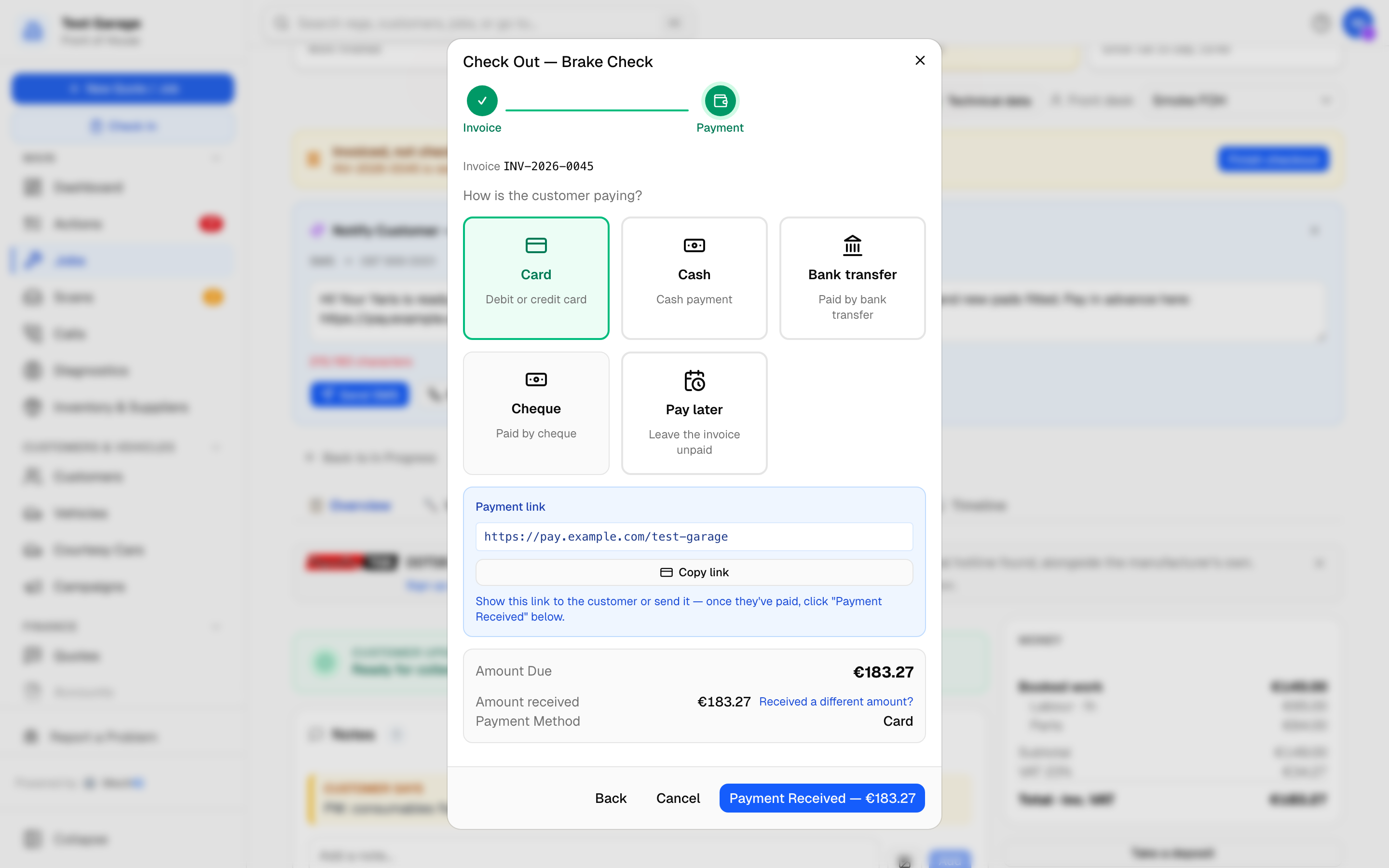 Card selected with a payment link configured. Share the link, or take the card another way and click Take €X -- Card.
1. Your own card machine
With no payment link set up, take the card on your own machine, then click Take €X -- Card. MechIQ records the method as card; it does not talk to the machine.
This is how most garages take cards, and it is what Settings -> Payments calls Card reader at the desk.
2. Payment link
If your garage has a payment link (an AIB, Revolut, Stripe or similar page), a blue Payment link panel appears with the URL. Show it to the customer or send it, wait for the payment, then click Take €X -- Card. MechIQ records the payment as card.
If the garage has a connected payment provider instead, the panel is a payment request raised on that account for this invoice, and the invoice is marked paid automatically once the customer pays -- you do not need to click anything. When the customer holds credit (a deposit) and Use €X held on account is ticked, the credit is used first and the link asks only for the rest.
Pushing the charge to a card reader is not built
MechIQ does not send the amount to a card reader. Settings -> Payments says so on the page: pushing the charge to a SumUp or Square reader, so the reader confirms the payment back to MechIQ, is not built -- most Irish garages take cards on a bank-supplied PDQ with no API, so it waits for a garage that needs it.
MechIQ adds no card surcharge: the setting is gone, because surcharging consumer cards is restricted in Ireland and the UK and the surcharge was never recorded. Charge the invoice amount.
If a payment does not complete
If the card is declined, the invoice stays owed -- take it again on your machine, or choose another method (cash, bank transfer, put on account, pay later). Nothing is recorded in MechIQ until you click Take €X -- Card.
Tips
- Wait for your own machine's approval before you click Take €X -- Card -- that click is what records the money, and MechIQ has no way of knowing whether the card actually went through.
- Check the total on the Invoice step before you key it into the machine.
Related: Invoicing and Checkout