The workshop wall board
The Tech Board, running full-screen on a TV where the technicians can see it. No login, no keyboard, no session that expires halfway through the afternoon.
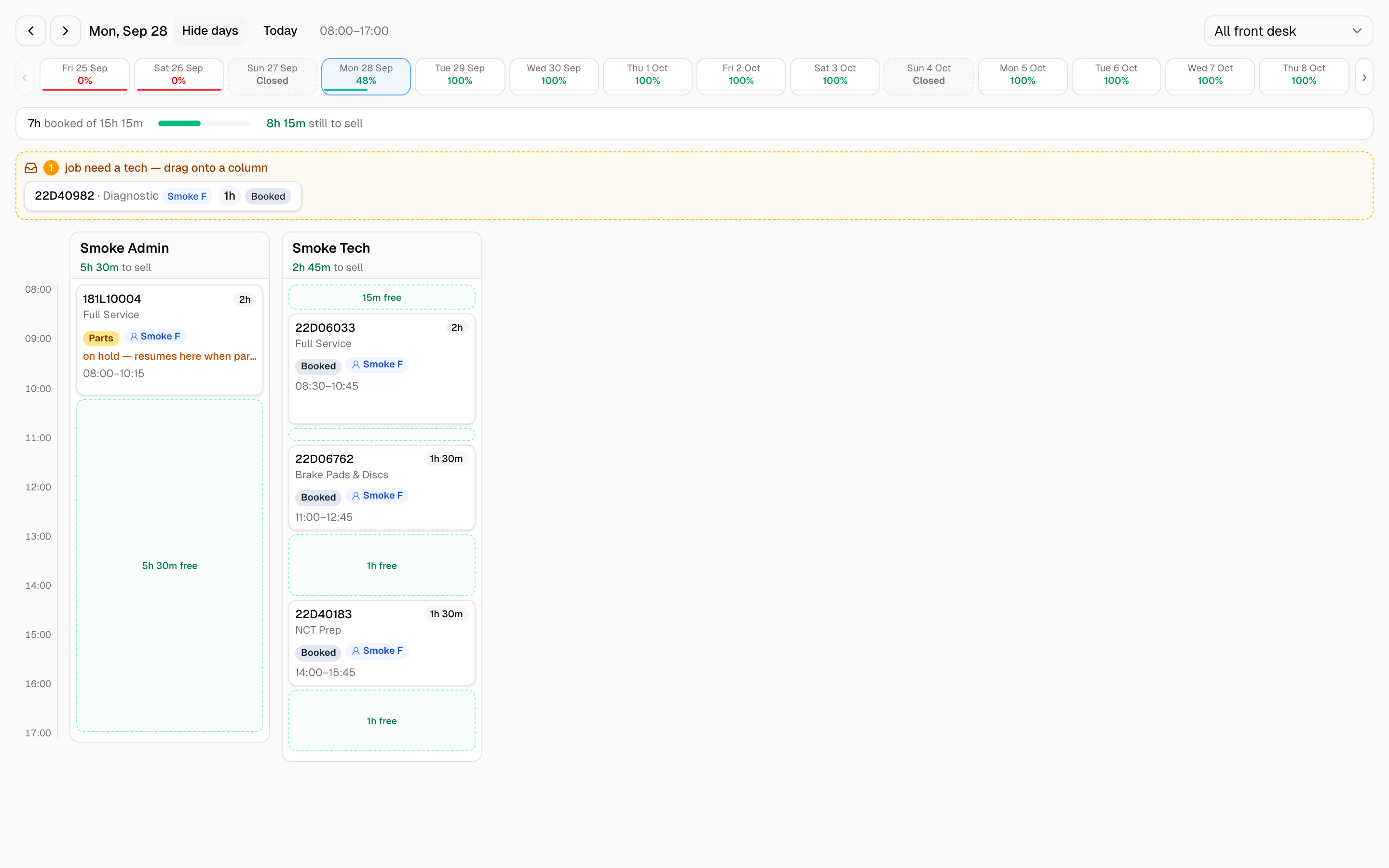 The wall board is the Tech Board on its own: today's columns and nothing else.
Set one up
A garage admin creates the link:
- Go to Settings → Workshop Options and find the Wall display card.
- Click New display link, type a label such as Workshop TV and click Create display link.
- The link is shown once -- click Copy and open it in the TV's browser.
The screen remembers the link, so it comes back to the board on its own after a power cut. Leave it full-screen. It refreshes itself every five minutes, and live changes arrive sooner than that.
If the TV is opened at /display without a link it says Open this page with a display link from Settings → Workshop Options → Wall display.
What it shows
The same per-technician columns the front desk works from, for today: who has what, in what order, and how the day is filling up. Jobs with no technician yet are listed at the top as N jobs have no technician yet.
It is read-only. There are no day arrows, no two-week strip, no front-desk filter, no Tech off / ramp down or Rebalance day, and nobody can drag a job, change a status or book into a gap from the wall. The screen only asks MechIQ for the board itself.
The link is read-only, and revocable
A display link can do exactly one thing: read the board. It cannot open a job, see a customer or touch money. A screen bolted to a workshop wall is not a secure device, and it should not hold credentials that could do damage.
If a TV is replaced, moved somewhere public, or you want it off, go back to the Wall display card and click Revoke beside the label, then Yes, revoke to confirm (Keep it backs out). On its next refresh the screen says This display link was turned off and tells whoever is looking to ask the garage for a new link. Create a new link for the replacement.
Do not share the link outside the workshop, and do not use a staff login for the wall screen -- that would give the wall everything that person can do.
Related: The Tech Board · Calendar and Scheduling