Notifications & Actions Queue Settings
Settings → Notifications (garage admin only) has two parts: the Actions queue settings at the top, and the garage-wide Notifications switches below.
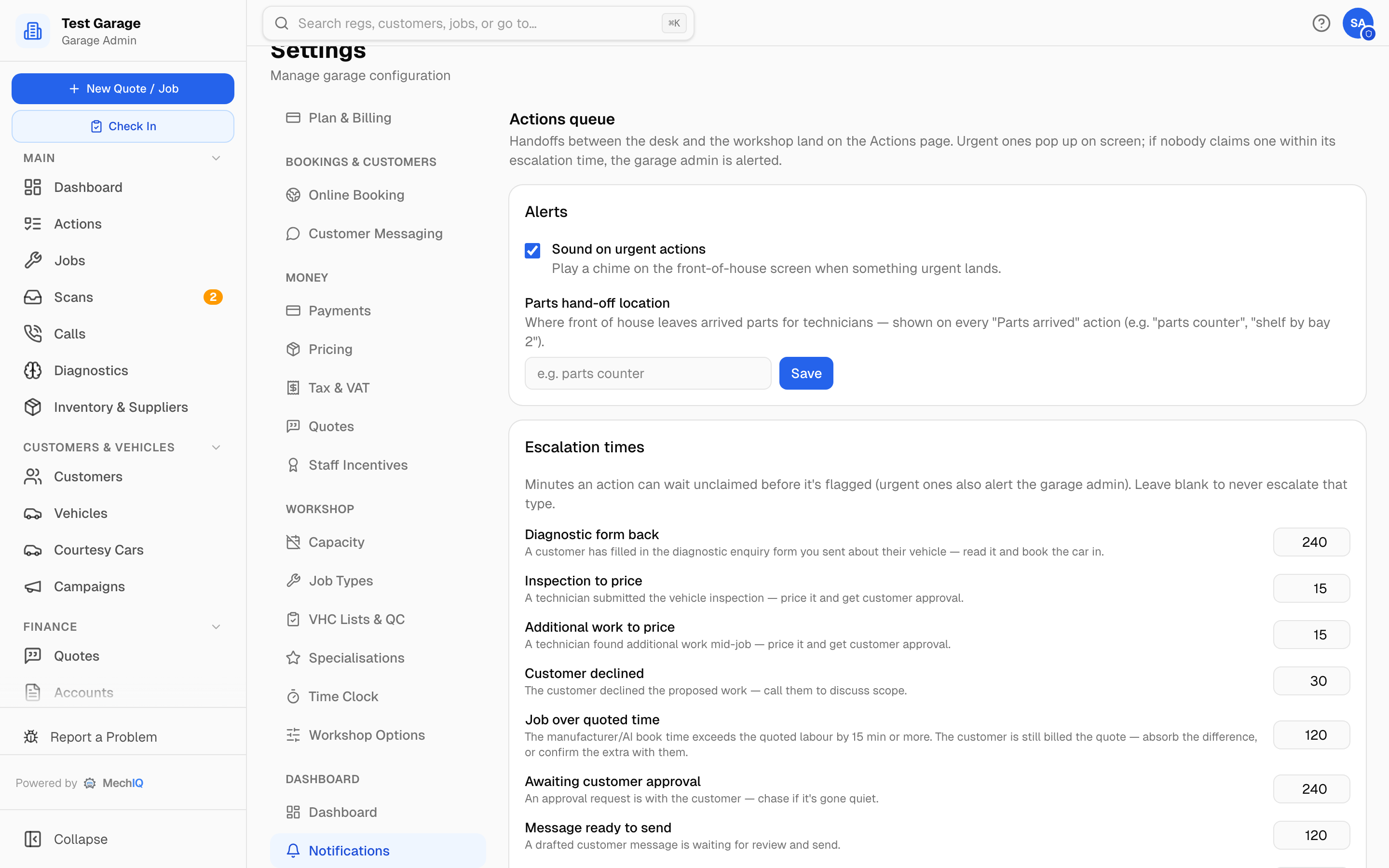 Settings → Notifications. The Actions-queue settings save as you change them; the notification tick boxes save with the Save bar.
Actions queue
Handoffs between the desk and the workshop land on the Actions page. Urgent ones pop up on screen; if nobody claims one within its escalation time, the garage admin is alerted.
Alerts
- Sound on urgent actions — plays a chime on the front-of-house screen when something urgent lands.
- Parts hand-off location — where front of house leaves arrived parts for technicians (e.g. "parts counter", "shelf by bay 2"). Shown on every Hand parts to technician action.
Escalation times — minutes an action can wait unclaimed before it's flagged. Urgent ones, and Awaiting quality check, Parts saved for later, Order parts for approved work and Handed back -- choose next step, also alert the garage admin once: the only alert an owner gets about desk work. The minutes count only while the garage is open, and the alert goes out only in opening hours. Each action type that has a target is listed with its default; change the number, then Save changes in the bar at the bottom. Leave it blank to never escalate that type. The defaults, in minutes:
| Action | Default |
|---|---|
| Price extra work, Part problem at the car, Scan may be for the wrong vehicle | 15 |
| Customer declined, Order parts for approved work, Handed back — choose next step, Awaiting quality check | 30 |
| Customer replied, Hand parts to technician, Find the right part, Extra work to confirm | 60 |
| Deposit paid, booking already cancelled | 60 |
| Job over quoted time, Message not sent, Online booking to confirm, Couldn't rebook — pick a date with the customer, Parts saved for later, Part cost more than quoted | 120 |
| Diagnostic form back, With customer, Upcoming booking — parts not ready, Parts arrived — book the car back in, Part cost less than quoted, Unhappy customer — call back, Quote accepted online | 240 |
| Received invoice — set up supplier | 480 |
Reminders (cars due a test, declined-work follow-ups), missed calls, supplier invoices to import, check out, leave reviews and the setup checklist never escalate. A garage that set an escalation time for Inspection to price or Additional work to price keeps it for Price extra work (they are one action now).
Weekly summary email
Tick Weekly summary email to email a one-page summary of the week -- sales, jobs completed, quotes accepted and the value MechIQ helped land, all ex VAT -- to your contact address every Monday. Off by default. It is a message to your garage, not to a customer, so it is here (it was under Customer Messaging). It saves with the Save bar. You can also download the summary any time from Reports → Value.
Notifications
Every configurable notification type, grouped by category — Jobs, Approvals & comms, Bookings, Quotes, Calls, Team, Diagnostics and Billing — with a tick box per type. All are on by default.
Turning one off means nobody in the garage gets that notification — no bell entry, no push — and staff can't opt back in. The actions themselves still land on the Actions board. A few operational notifications, such as an accounting connection breaking, can't be switched off.
Each person still chooses which notifications push to their own phone under My Profile → Notifications; that only mutes the push, the bell entry stays.
Related
- The Actions Board (FOH section) — how the queue works day to day.
- Dashboard settings — the bay-view staleness flags.