Data Export & Data Retention
Settings → Data Export (garage admin only). Your data is yours: export it any time, in a format any other system can read.
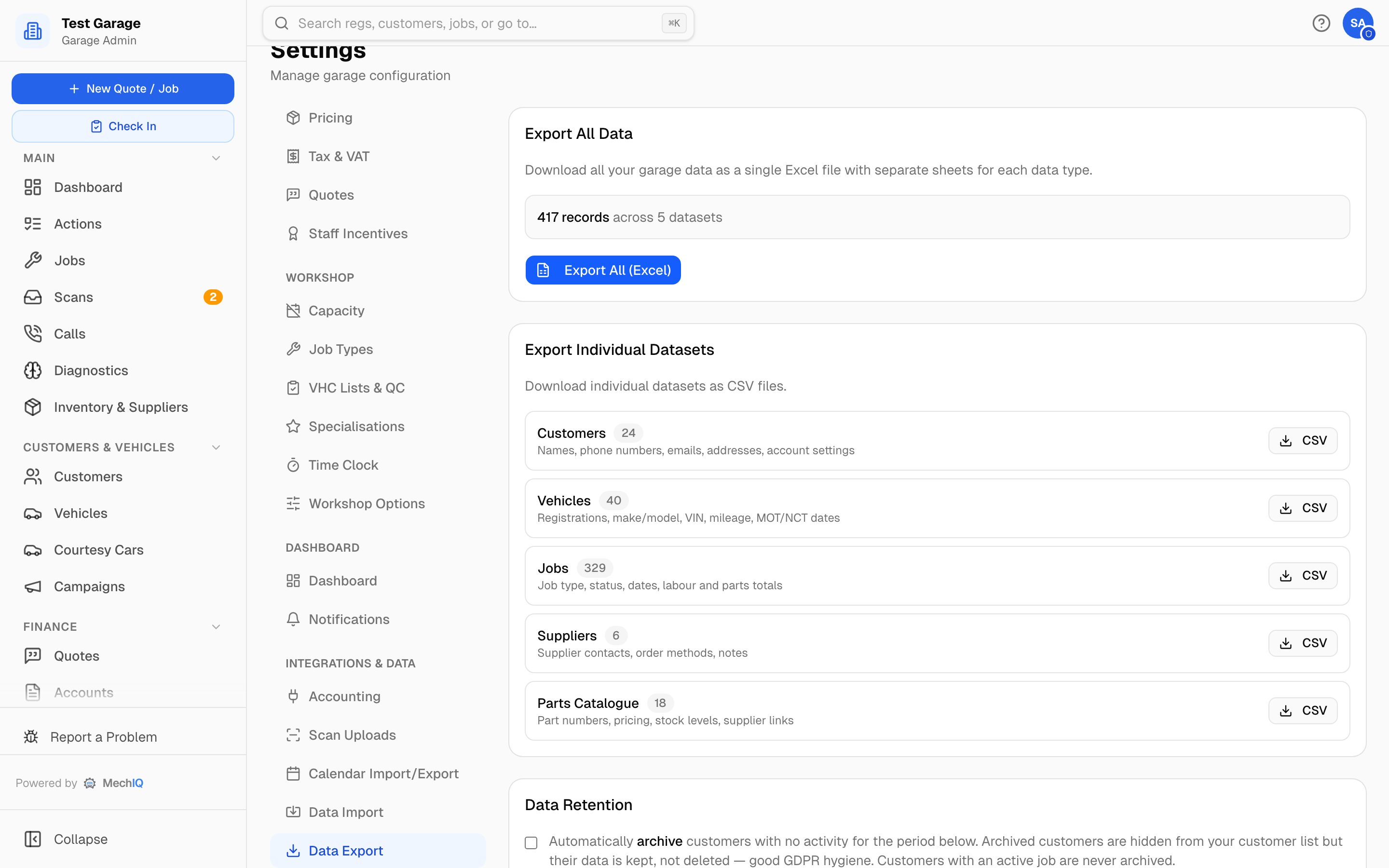 Settings → Data Export.
Export all data
Export All (Excel) downloads every record in MechIQ as one workbook, one sheet each: customers, vehicles, jobs, quotes, invoices, invoice lines, credit notes, payments, suppliers, supplier bills, parts catalogue and stock movements. The card shows the total number of records across all twelve datasets. Export Individual Datasets downloads any one of them as a CSV.
Export individual datasets
One CSV per dataset, each showing its record count:
- Customers — names, phone numbers, emails, addresses, account settings.
- Vehicles — registrations, make/model, VIN, mileage, MOT/NCT dates.
- Jobs — job type, status, dates, labour and parts totals.
- Quotes — customer, vehicle, request, status, totals, valid until.
- Invoices — number, date, customer, net, VAT, total, paid, due date.
- Invoice lines — each line of each invoice: description, quantity, price, VAT %.
- Credit notes — number, the invoice each one credits, amounts.
- Payments — money received and refunded: date, customer, amount, method, reference.
- Suppliers — contacts, how their orders go out (email, phone or online), notes.
- Supplier bills — supplier invoices and credits: number, date, total, paid.
- Parts Catalogue — part numbers, pricing, stock levels, supplier links.
- Stock movements — every stock in, out, adjustment and count.
Bookings for the next 12 months are exported from Calendar Import/Export. The files for your accounting package (Sage, Xero or QuickBooks import format, marked as exported once) come from Settings → Accounting -- this page is a full copy of your records, and downloading it never marks anything as exported.
Data retention
Off by default. Tick Automatically archive customers with no activity and set Archive after N months of inactivity (default 36; 6–120). Archived customers are hidden from your customer list but their data is kept, not deleted — good GDPR hygiene. A customer with an active job is never archived. Ticking the box asks you to confirm first, and nothing changes until you click Save changes in the bar at the bottom of the page.