Garage invoicing software that bills what actually happened
The quote the customer approved, the hours the technician actually clocked, the parts that actually went on the car — MechIQ turns them into the invoice, with VAT right on every line. No retyping from a worksheet, no "what did we agree again?", and the customer can pay by link or card at the desk.
Join the WaitlistFrom approved quote to paid invoice, without the retyping
Quote becomes the invoice
What the customer approved is what gets billed. Extra work they approved mid-job is added on top, clearly separated — never silently folded in.
Real hours, real parts
Labour comes from the technician's clocked time and agreed rates; parts come off the job as fitted and confirmed. The invoice reflects the workshop, not a guess.
VAT per line
Labour and parts each carry the correct VAT rate, with the rate-band breakdown your accountant and your VAT return need.
Get paid your way
Payment link by SMS or email (your AIB, Revolut or Stripe link), card terminal, cash, or on-account for trade customers — recorded against the invoice either way.
Credit notes done properly
Full or partial credits against an invoice, with the refund or account credit recorded — and exported to your accounts package as a proper negative document.
Straight into your accounts
Every invoice, credit note and payment pushes to Sage, Xero or QuickBooks automatically. More on the accounting side →
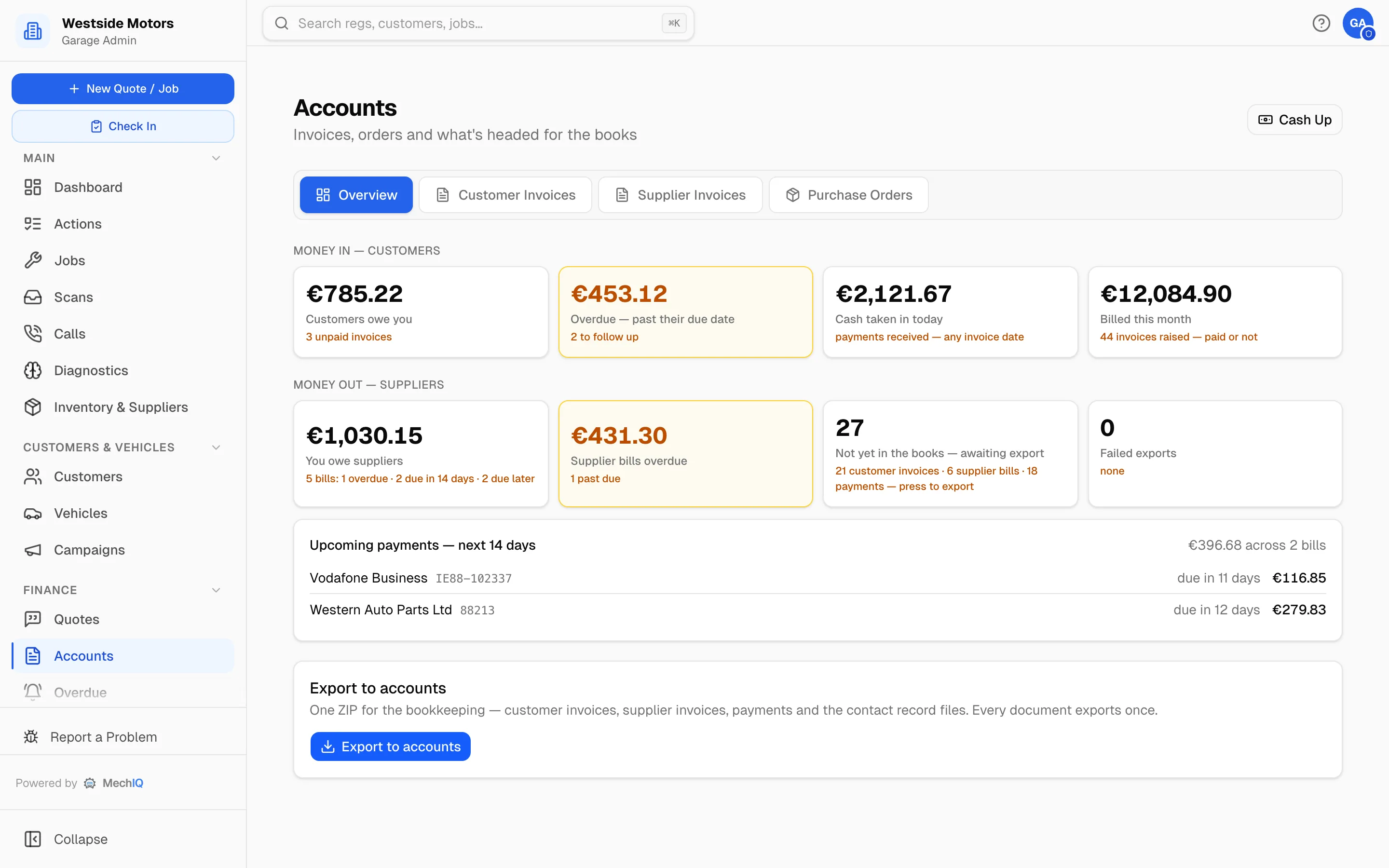
The part most invoicing software skips: the quote
An invoice is only as good as the quote it started from. MechIQ's AI drafts a full itemised quote — parts at your prices, labour at your rates — for the front desk to review and send in minutes. The customer approves by link, the approval is recorded, and the invoice at the end matches it. That chain, quote → approval → work → invoice, is why billing disputes get rare.
How to quote a car service properly →Garage invoicing FAQ
Can the customer pay online?+
Yes — invoices can carry your own payment link (AIB, Revolut, Stripe or any provider), sent by SMS or email, and you can also take card at the desk or record cash. Payments are logged against the invoice.
What about trade and fleet customers on account?+
Account customers can be invoiced per job or on a periodic statement, with agreed discounts applied automatically and the outstanding balance tracked.
Does it handle warranty or split billing?+
Yes — a job can bill to a warranty or insurance provider, or split between payers, with each invoice carrying its own lines.
Do invoices reach my accountant automatically?+
Yes. Invoices, credit notes and payments push to Sage, Xero or QuickBooks as they happen — see the garage accounting page for the full picture.
Invoices that write themselves from the job
Join the waitlist and be first to try MechIQ in your garage.
Join the Waitlist