
Manufacturer technical data, in the job — not in another subscription
Wiring diagrams, book repair times, torque figures, oil capacities, service schedules, recalls and technical bulletins — for the exact variant on your ramp. Most garages pay for this separately, on top of their management software. In MechIQ it is part of the platform.
Join the WaitlistWiring diagrams that open on the bench
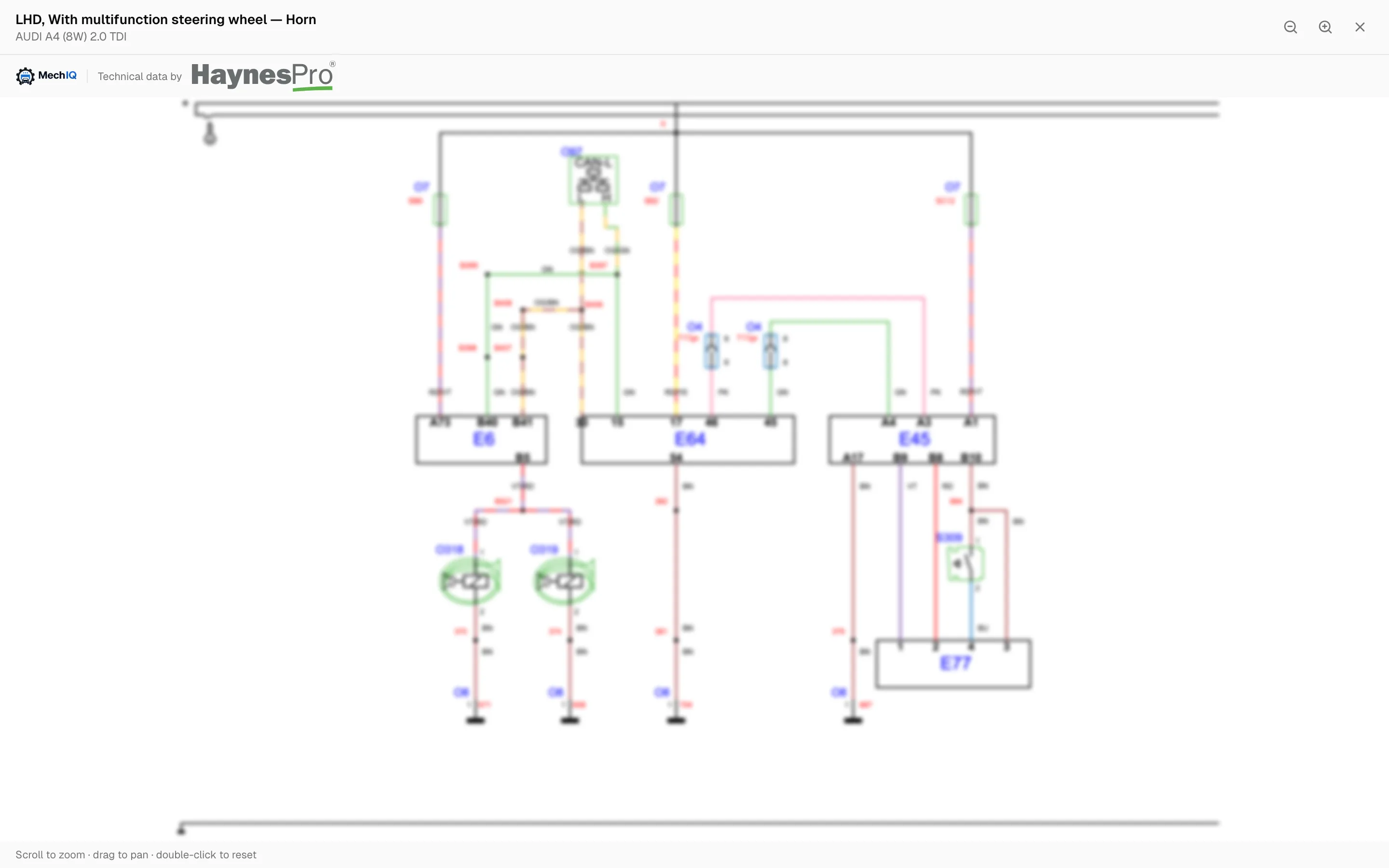
Full-screen, pinch to zoom, drag to pan — on the tablet already in the technician's hand. No second login, no printing a schematic at the desk and carrying it out to the car.
What a technician actually gets
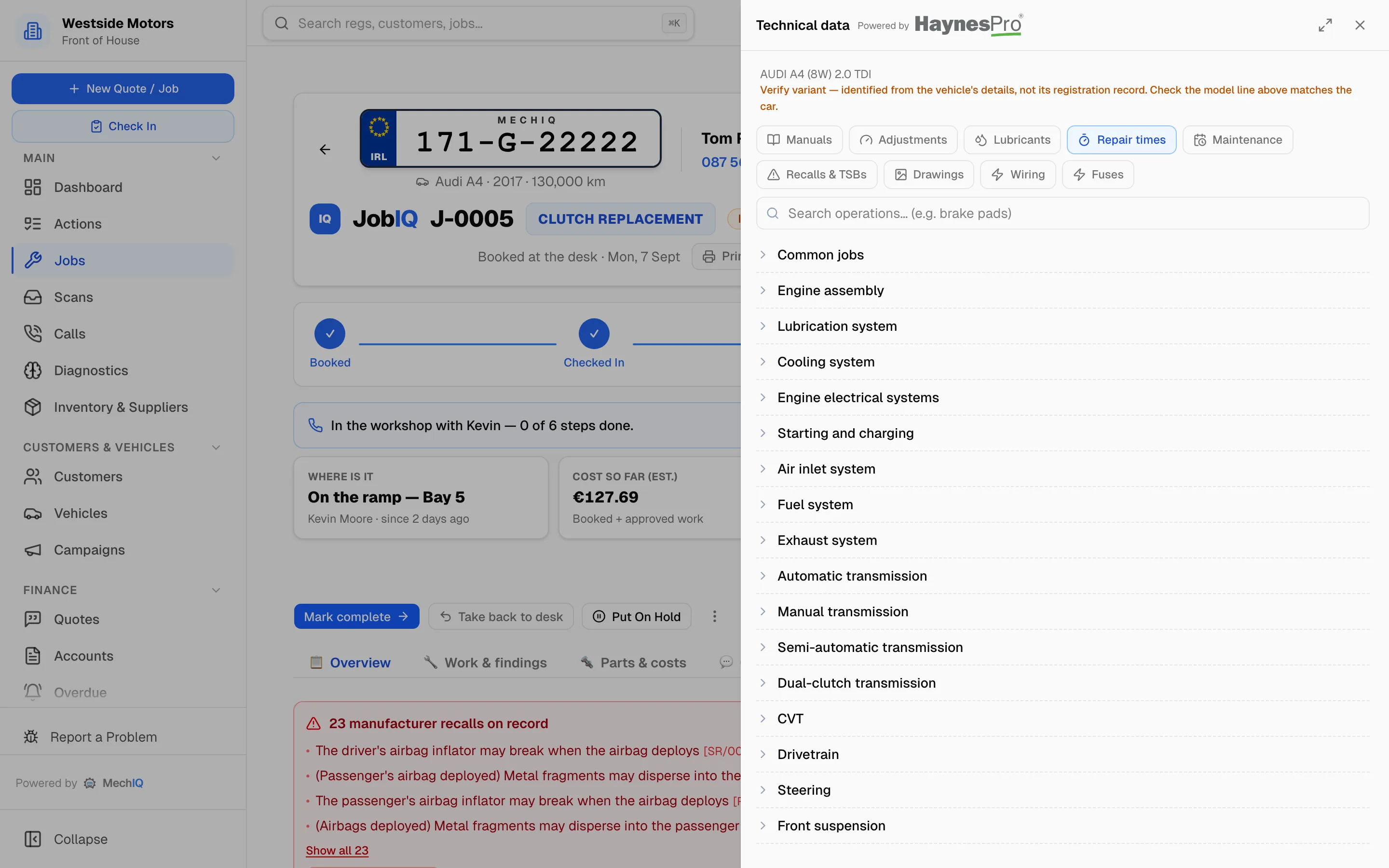
Every one of these is for the specific engine and build, reached from inside the job.
⚡ Wiring diagrams
Circuit by circuit — lighting, locking, parking sensors, instrument cluster — with connector and pin references.
⏱ Book repair times
The manufacturer's hours for the operation, so a quote is grounded in book time rather than a guess.
🔩 Torque & adjustments
Tightening figures, brake dimensions, wear limits and settings — beside the step that needs them.
🛢 Lubricants & capacities
The right oil specification and the exact fill quantity, so the service is right and the stock draw is right.
📅 Service schedules
What this car is due at this mileage and age — the schedule the plan is built from.
⚠️ Recalls & bulletins
Open safety recalls and known-fault bulletins, surfaced on the job rather than waiting to be looked up.
📐 Exploded drawings
Component views with torque figures called out on the drawing itself.
📖 Repair manuals
Step-by-step procedures for the job in front of you, with the special tools named.
🔌 Fuse & relay locations
Where the box is and which one it is — the question that eats twenty minutes on an unfamiliar car.
Beside the job, not in another window
The reference panel opens over the job the technician is already on. The car is identified at the top, and every section below it is for that variant.
It doesn't just sit there waiting to be opened
Having the data is one thing. MechIQ uses it.
Quotes priced on book time
When the manufacturer publishes an operation time for the job, that is what the quote uses — and the quote says so. Estimates are labelled as estimates.
Work plans that know the car
The plan a technician follows is built against the manufacturer's schedule for that variant at that mileage, not a generic checklist.
Safety surfaced, not searched for
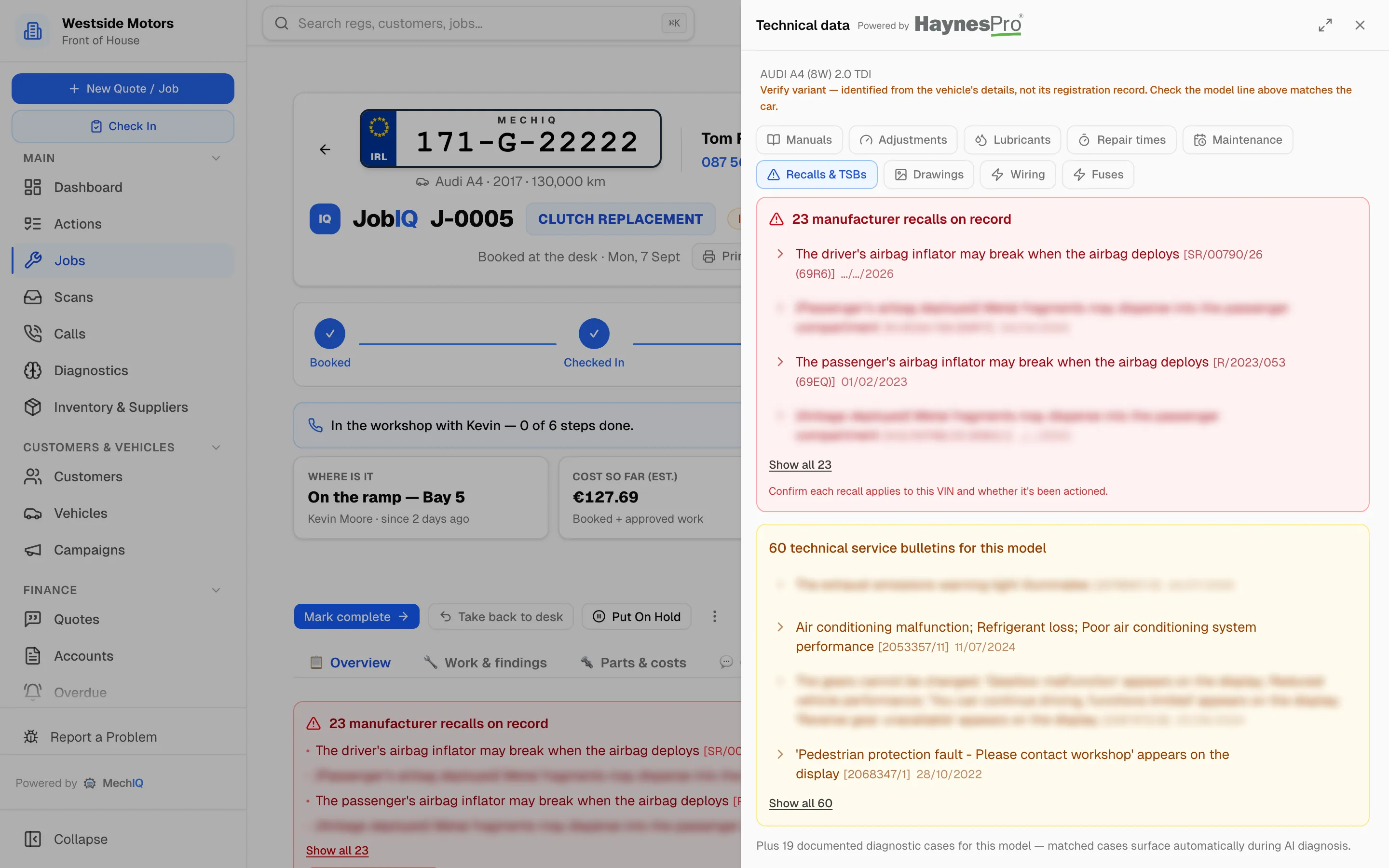
Open recalls appear on the job by themselves. Nobody has to remember to check, and the desk can tell the customer before the car goes back.
Recalls and bulletins, on the job
Grouped so one recall reads as one recall — manufacturers publish the same campaign once per production batch — and openable to the full bulletin text, cause and fix.

And what actually fixed it
Manufacturer bulletins tell you what the factory published. DDTSB, from Elektro Partner, is the other half: the fixes their technical hotline found on cars that were already in a workshop, written up by the people who solved them.
On the car in front of you
MechIQ looks DDTSB up by registration and shows what exists for that exact vehicle — critical, model-specific and general — beside the manufacturer's own recalls.
On the job, not in a tab
Headlines sit on the job card and the vehicle record, on the desktop and on the workshop tablet. One tap opens the bulletin itself in DDTSB.
Nothing to wire up
Add your DDTSB login once in Settings. No per-technician setup, no second search screen, and no typing the reg again.
Integrated by MechIQ, licensed by you
DDTSB is Elektro Partner's product, and their bulletins are theirs to sell. The integration is included in MechIQ at no extra cost, but the content needs your own DDTSB subscription, bought from and billed by Elektro Partner. Without one you still see that bulletins exist for a vehicle, so you know when it is worth having — and MechIQ can put you in touch.
Included, not an add-on
Technical data is normally its own subscription, its own login and its own bill — and it usually lives in a different application from the job it relates to. In MechIQ it is in every plan, on every job, for every car you look up. There is no tier that takes it away.
Technical data supplied by HaynesPro. MechIQ is a licensed partner. DDTSB bulletins are supplied by Elektro Partner and need your own DDTSB subscription.