The app the technician actually opens
A native app for iOS and Android built for oily hands and a tablet on a bench — the job in front of you, the clock running, and a way to flag extra work without walking to the office.
Join the WaitlistBriefed before you start
The job opens with what is being asked for, what the car has had done before, and a suggested plan of attack — so the first ten minutes aren't spent reading.
One tap on, one tap off
Clock onto a job, clock off, move to the next. The time lands on the job automatically instead of being reconstructed from memory at five o'clock.
Health checks in the bay
Work the check on the tablet, photograph what you find, mark it red, amber or green. It reaches the front desk as you go, not at the end.
Found work in a tap
Spot something extra? Send it to the desk to price and get approved, without leaving the car or chasing anyone.
Talk instead of type
Voice notes for the things that are quicker said than typed, attached to the job for the front desk to turn into customer-facing words.
Built for mobile, not shrunk
The screens are designed for a tablet in a workshop — big targets, few taps — not a desktop page squeezed onto glass.
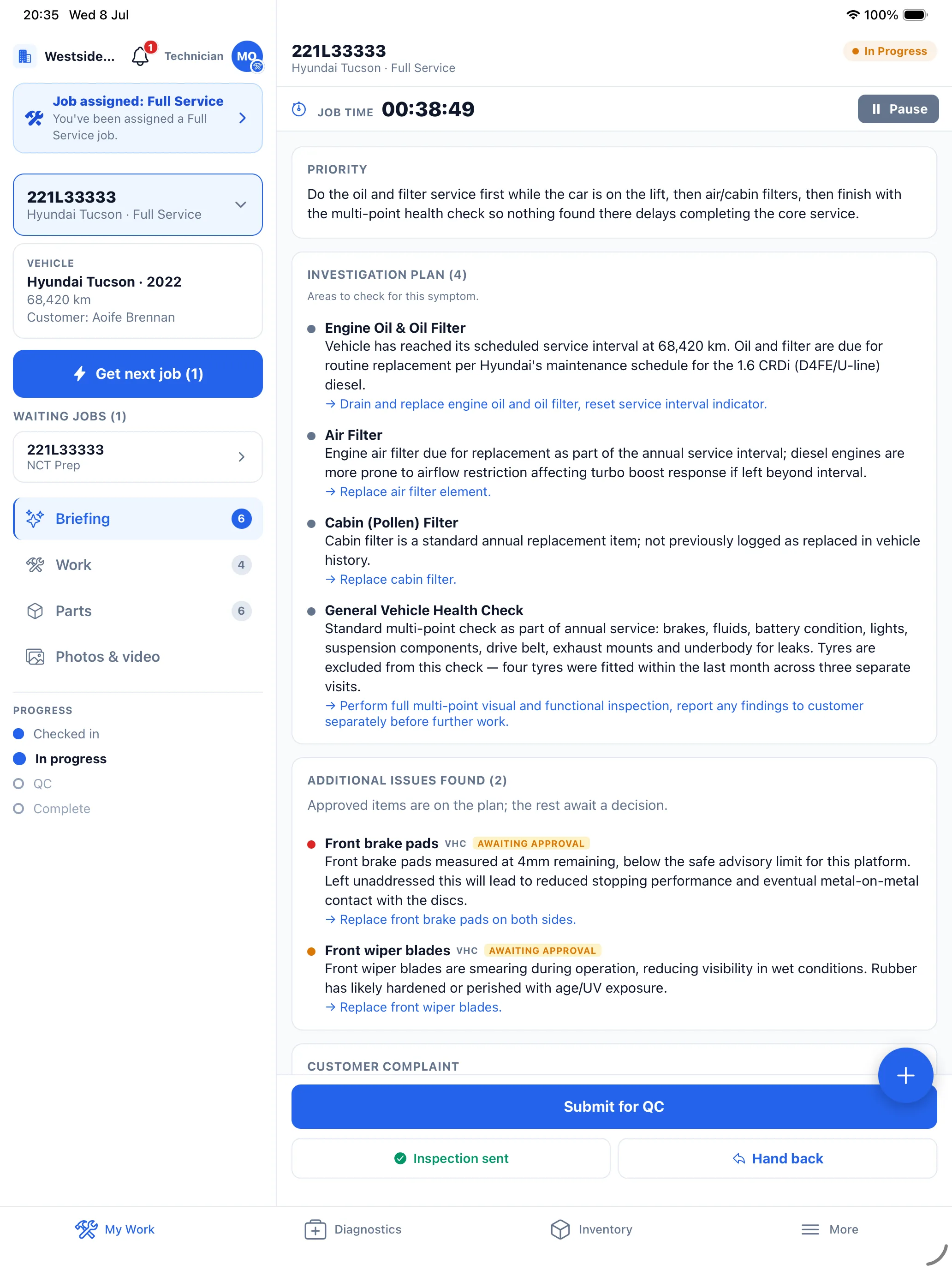
Technicians decide whether software works
A garage system lives or dies on whether the people in the bay use it. If clocking on is awkward, nobody clocks on, and every number downstream — job cost, technician efficiency, real margin — turns into fiction. That is why the technician app is the first thing we build for, not the last.
Technician App FAQ
Which devices does it run on?+
iPhone, iPad and Android phones and tablets, from the App Store and Google Play. A tablet in the bay is the usual setup.
Can technicians message customers directly?+
No. Technicians can draft an update, but sending anything to a customer stays with the front desk.
More of what MechIQ does
AI Quoting
The quote is written before the kettle boils
AI Diagnostics
Four ways to ask, one straight answer
Scheduling
See the day before it happens to you
Job Management
From booked in to handed back, on one card
Invoicing & Accounts
Money in, money out, one place
Parts & Inventory
Know what you have before you order it again