Four ways to ask, one straight answer
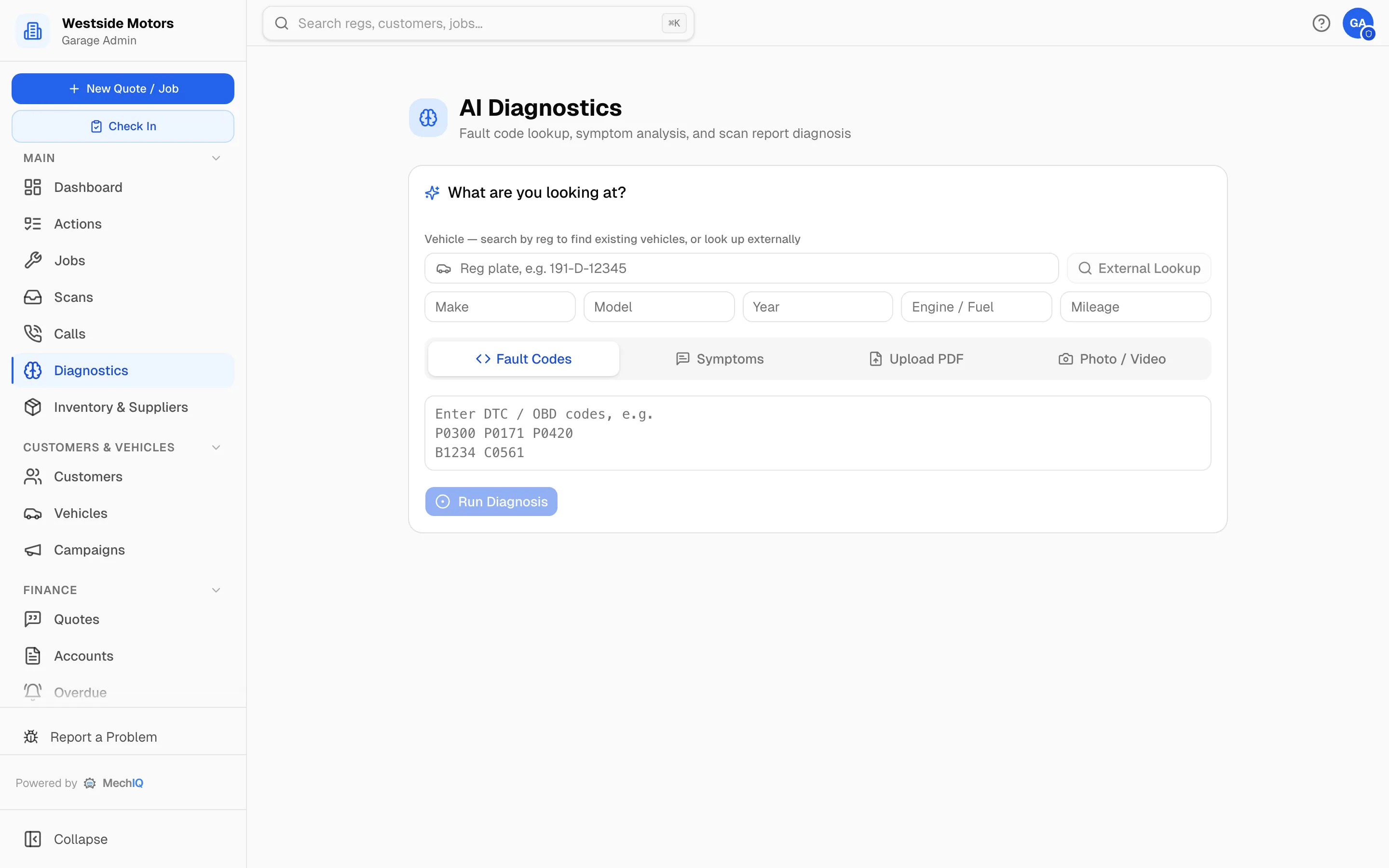
Fault codes, a description of the symptom, a scan-tool PDF, or a photo of the part — MechIQ takes whichever you have and comes back with likely causes, what to check first, and roughly what the work involves. It is a second opinion for the technician, not a replacement for one.
Join the WaitlistFault codes
Paste in the DTCs from the scan tool. You get the likely causes for that specific engine and model, ranked, rather than a generic code definition.
Symptoms in plain words
“Judders under load when warm.” Describe what the car is doing and the diagnosis works from that — useful when the codes are clean but the customer isn't imagining it.
Scan reports
Upload the PDF your scan tool produced. It is read and interpreted directly — no retyping codes off a printout.
A photo of the part
Photograph the corroded connector or the worn component. Visual diagnosis puts a name to it and suggests what to do about it.
Tied to the car and its history
Diagnosis runs against the specific vehicle and what your garage has done to it before, so it can spot a repeat of something you have already chased.
Straight into the job
A diagnosis can become the work plan, and from there a quote — the findings carry through instead of being retyped into a job card.
A second opinion that never gets tired
The value is not that the AI knows more than your best technician. It is that it is available at four o'clock on a Friday when your best technician has gone home, it never gets bored of an intermittent fault, and it makes an apprentice's first guess much closer to a master technician's. The technician still decides.
AI Diagnostics FAQ
Does it replace a scan tool?+
No. You still read the car with your own equipment. MechIQ interprets what the tool tells you and suggests where to look next.
Can technicians use it on a tablet in the bay?+
Yes — diagnostics is available in the technician app as well as on the desktop.
More of what MechIQ does
AI Quoting
The quote is written before the kettle boils
Scheduling
See the day before it happens to you
Job Management
From booked in to handed back, on one card
Technician App
The app the technician actually opens
Invoicing & Accounts
Money in, money out, one place
Parts & Inventory
Know what you have before you order it again