See the day before it happens to you
Every technician's day in a column, every job in its slot, and an honest number for how many hours you have left to sell. Drag a job onto a technician and the day rebalances around it.
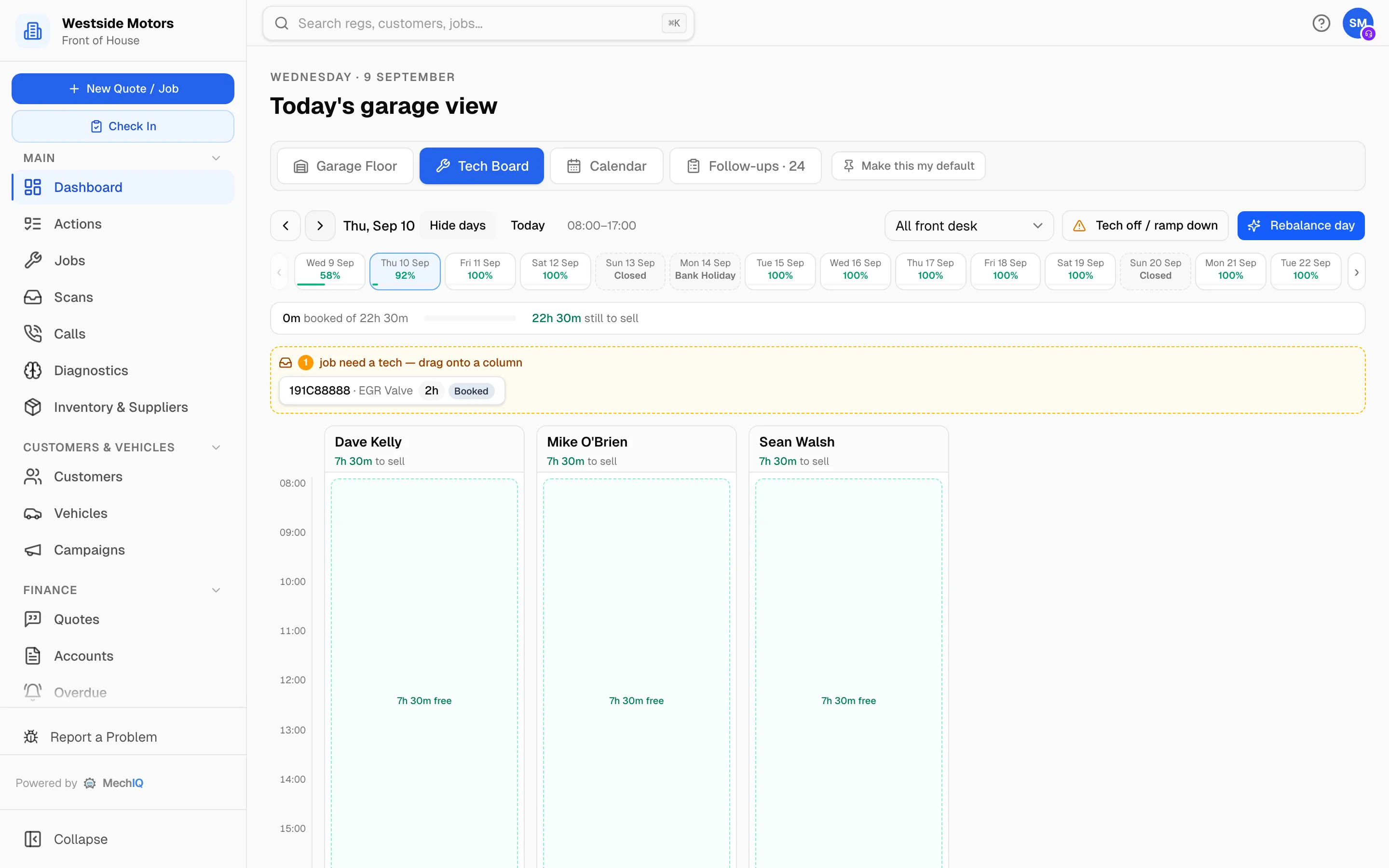
Join the WaitlistA column per technician
Not a room-booking grid — the people who do the work, with their real hours, their leave and their existing jobs already on it.
Hours still to sell
The board tells you how much of today is actually booked and how much is left, so the answer to “can you fit me in?” is a fact rather than a feeling.
Drag to assign, drop to reorder
Jobs still needing a technician sit across the top of the board. Drag one onto a column to assign it, or drag within a column to change the order of work.
Drop-off windows, not fake times
Customers book a morning or an afternoon, because “9:15” was never true anyway. The board plans the actual work behind that window.
Rebalance the day
When a job overruns, MechIQ proposes a reshuffle across technicians and you accept or ignore it. Nothing moves without you.
Days ahead at a glance
A strip of upcoming days with how full each one is, so you can see next Tuesday is empty before you turn work away today.
Capacity you can sell is capacity you can see
Most garages are not short of work; they are short of a reliable picture of where the work already is. A board built around technicians and hours — rather than bays and appointment slots — turns “we're flat out” into a number, and that number is usually more optimistic than the feeling.
Scheduling FAQ
Do I have to schedule to the minute?+
No. You can book a drop-off window and let the board plan the work, or place jobs precisely if that suits your workshop better.
What happens when a job overruns?+
The board shows it running over and can propose a rebalance of the rest of the day. You decide whether to apply it.
More of what MechIQ does
AI Quoting
The quote is written before the kettle boils
AI Diagnostics
Four ways to ask, one straight answer
Job Management
From booked in to handed back, on one card
Technician App
The app the technician actually opens
Invoicing & Accounts
Money in, money out, one place
Parts & Inventory
Know what you have before you order it again