Know what you have before you order it again
Stock that reflects the shelf, orders raised against real jobs, and supplier invoices that match what actually arrived — so the parts on the invoice are the parts that went on the car.
Join the WaitlistStock that matches the shelf
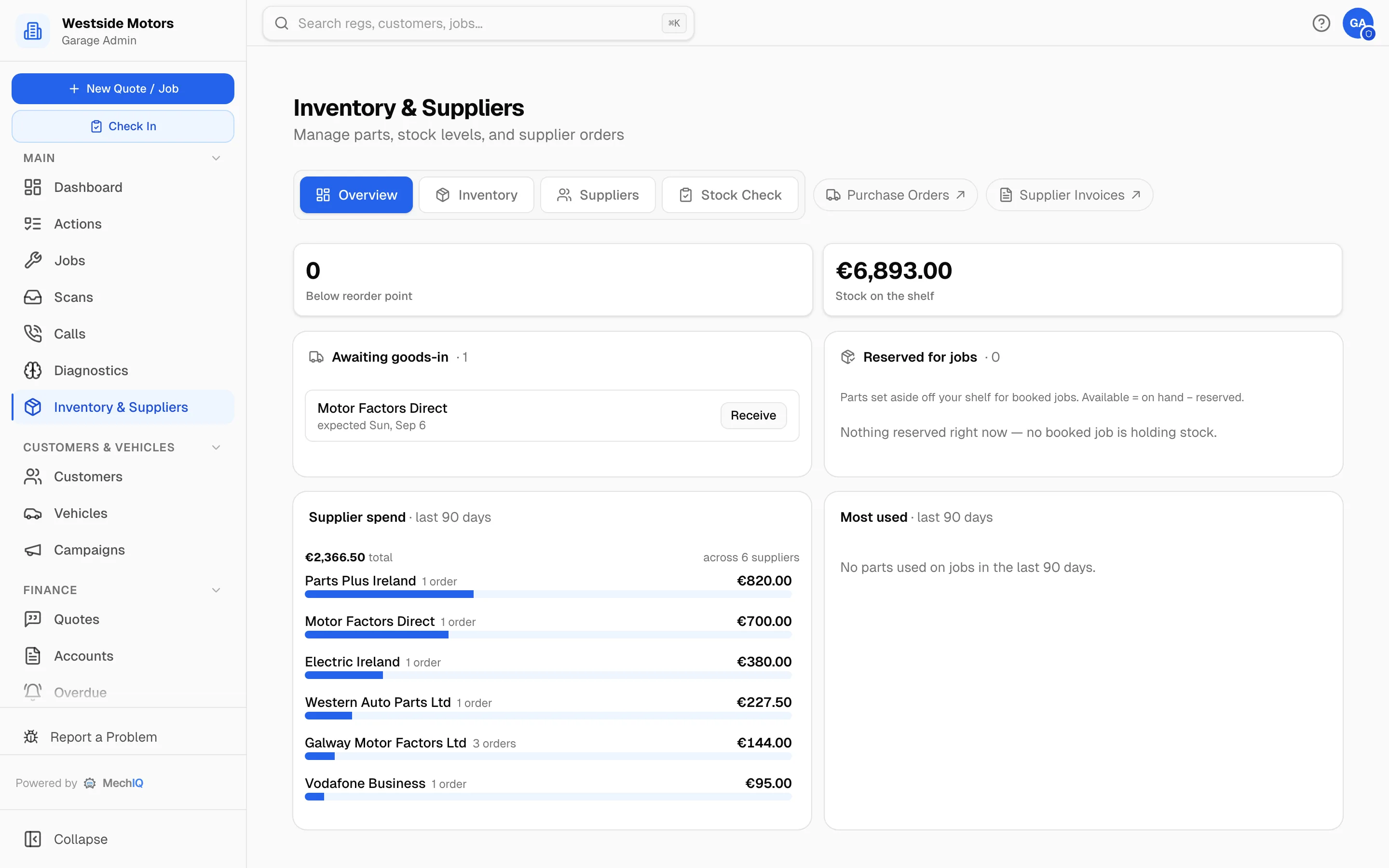
Parts come off stock as they go on cars, with stocktakes to true it up. Reorder points flag what to buy before a job stalls waiting for it.
Order against the job
Purchase orders are raised from the parts a job actually needs, so what you ordered and why is never a mystery three weeks later.
Goods in, checked in
Receipt what arrived — including short or wrong deliveries — so stock and the supplier bill both reflect reality rather than the order.
Billed at what it cost
The customer is billed from the actual cost of the part that arrived plus your markup, not a catalogue price captured weeks earlier.
Supplier price lists
Published prices and your own negotiated costs sit behind quoting, so estimates use real numbers from the suppliers you actually buy from.
Held until approved
Orders for work the customer hasn't approved are held rather than sent, so you don't own parts for a job that never happened.
Parts are where the margin quietly goes
A part bought at one price, quoted at another and billed at a third is the most common way a profitable job turns into a break-even one. Tying the order, the delivery, the bill and the invoice to the same job is unglamorous — and it is where the money is.
Parts & Inventory FAQ
Do I have to track every nut and washer?+
No. Consumables and sundries can be handled as a charge rather than counted stock, and you choose which parts are worth tracking properly.
Can I import my existing parts list?+
Yes — parts, costs and stock levels can be imported from your previous system.
More of what MechIQ does
AI Quoting
The quote is written before the kettle boils
AI Diagnostics
Four ways to ask, one straight answer
Scheduling
See the day before it happens to you
Job Management
From booked in to handed back, on one card
Technician App
The app the technician actually opens
Invoicing & Accounts
Money in, money out, one place