Staff Targets and Incentives
MechIQ includes an optional staff incentives scheme for tracking whether your front-desk staff and technicians hit a sales or labour target each week or month. It is off by default — nothing appears anywhere in the app until you switch it on.
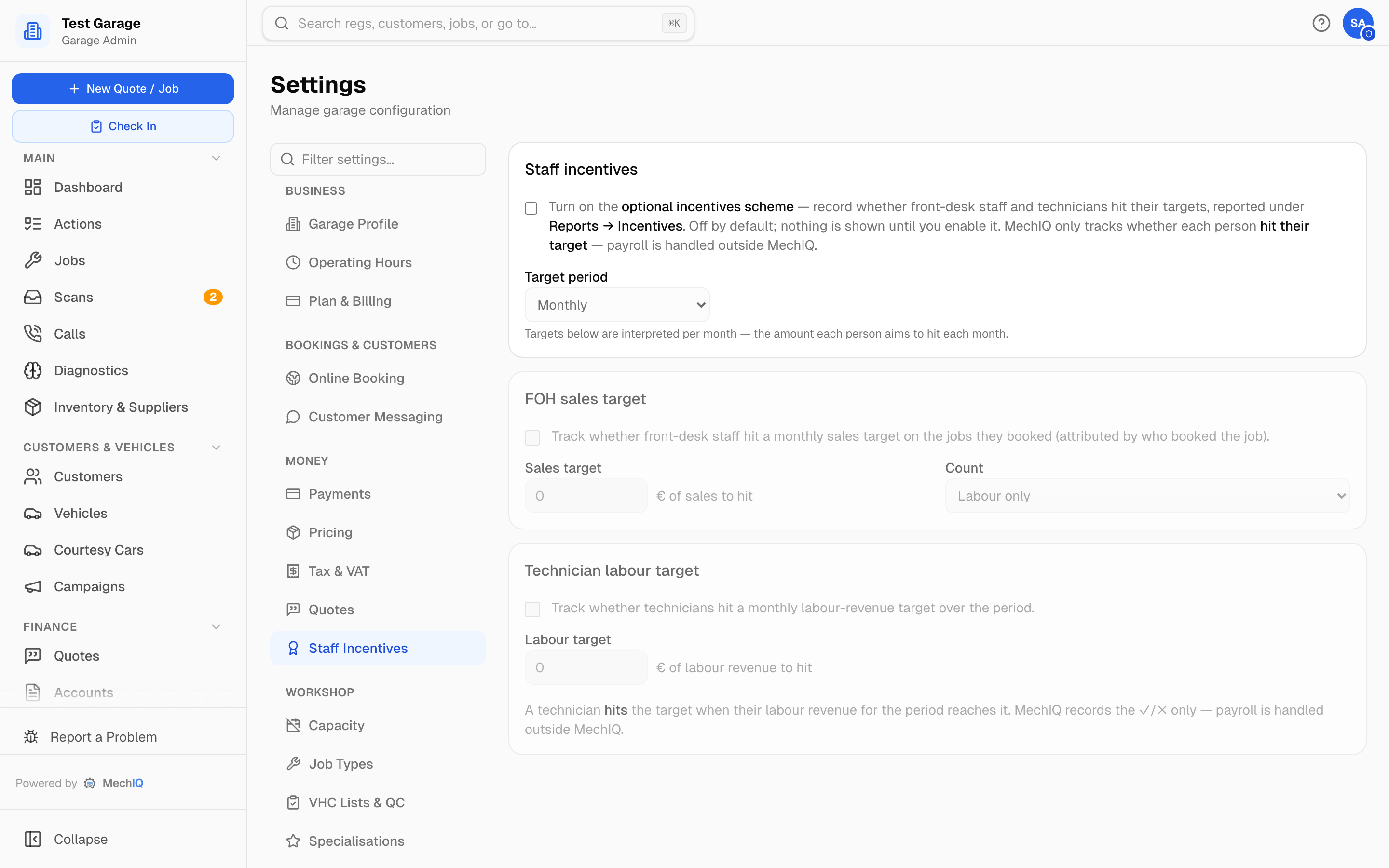 Settings → Staff Incentives. Saved with the Save bar at the bottom of the page.
Target tracking, not payroll
This feature records one thing: whether each person hit their target for the period (a ✓ or "Not yet"). MechIQ never calculates commission, bonus payments or wages. If you pay a bonus for hitting a target, you handle that in payroll outside MechIQ — the app gives you the actual-vs-target numbers to base it on.
Setting it up
- Go to Settings → Staff Incentives (admin only, under Money).
- Tick the master toggle to turn the scheme on.
- Choose the Target period — Weekly or Monthly (default). Every target you enter is per week or per month accordingly.
- Configure one or both rules:
- FOH sales target — a euro amount of sales each front-desk person should book per period, attributed to whoever booked the job. Choose the Count basis: Labour only or Labour + parts.
- Technician labour target — a euro amount of labour revenue each technician should generate per period.
- Click Save changes in the bar at the bottom of the page.
You can enable just one rule — for example a tech labour target with no FOH target.
Where staff see their progress
Each technician and front-desk person sees their own live progress at the top of their dashboard: a progress bar of actual vs target for the current period, with a green Hit badge or the amount still to go ("€350 to go"). The widget only appears for people who have a target that applies to them.
Where admins see results
Reports → Incentives (garage admins and reporting users only). Two tables — FOH sales target and technician labour target — list each person's actual figure, their target and Hit / Not yet for the selected period. If the scheme is off, the tab says so and points you to Settings.
Tips
- Weekly targets suit garages that review performance at a Friday wrap-up; monthly suits payroll-cycle reviews.
- Use Labour + parts for FOH if the front desk influences parts upsells; Labour only keeps it within their direct control.