Money in, money out, one place
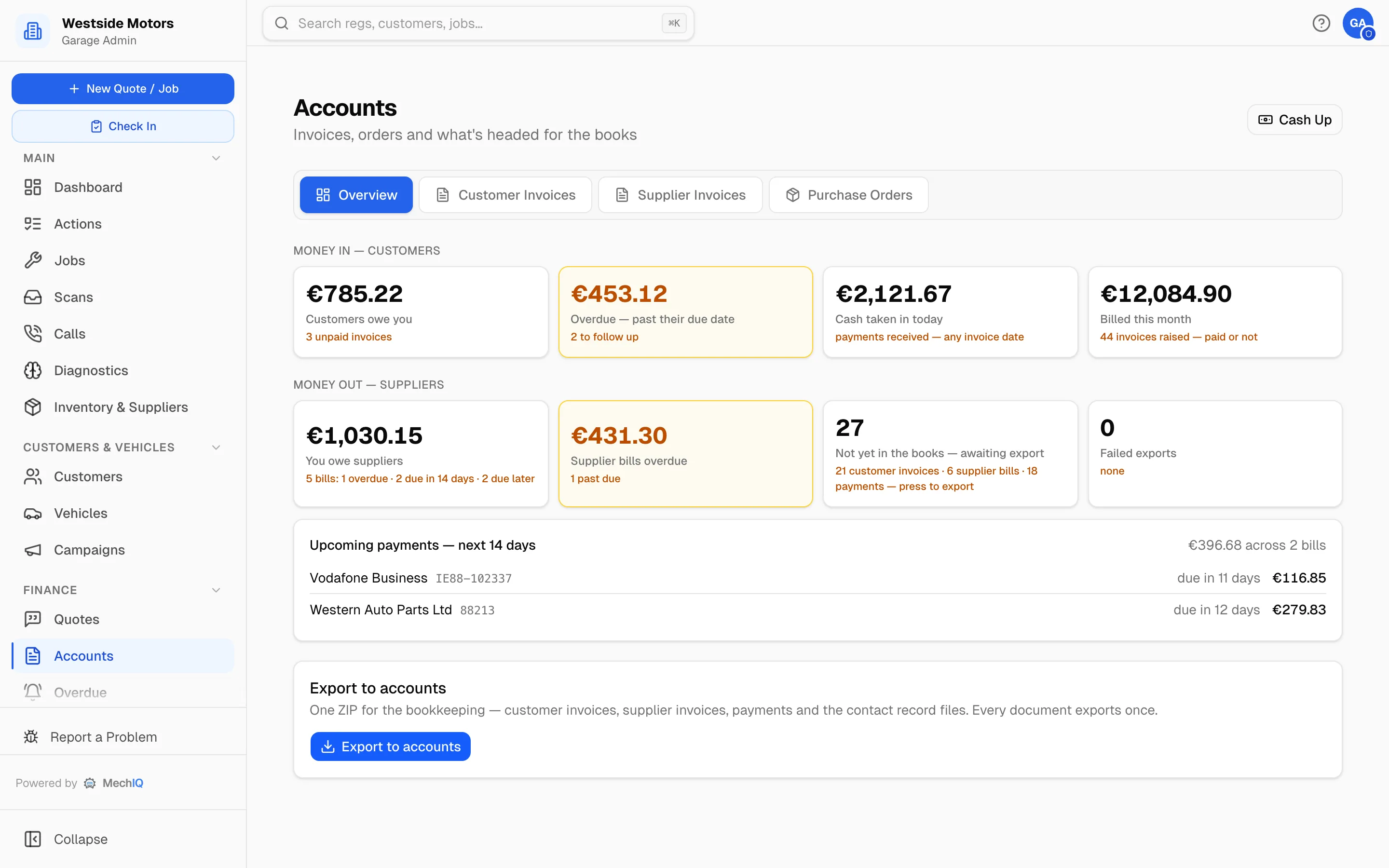
Customer invoices, supplier bills and purchase orders under one roof, with an overview that says what you are owed, what you owe, and what is due to be paid in the next fortnight — and one button that sends the lot to your accounts package.
Join the WaitlistBoth directions of the money
What customers owe you and what you owe suppliers, side by side — including which supplier bills fall due in the next two weeks, so the bank balance holds no surprises.
Invoices from the actual job
Real clocked hours, parts as fitted, VAT correct on every line. The invoice matches the quote the customer approved, with any extra work shown separately.
Supplier bills and purchase orders
Orders raised against jobs, bills recorded against orders, and the supplier's own invoice number kept so it reconciles against their statement.
One export, once
A single bundle for the bookkeeper — invoices, credit notes, supplier bills, payments and the contact records — and every document exports exactly once.
Sage, Xero and QuickBooks
Connect your package and documents push as they happen, or take the CSV bundle if your accountant prefers to import it. Your own account codes, not ours.
Statements that get paid
Account customers get a statement showing what's outstanding, when it fell due, and their own order reference — the number their accounts department actually pays against.
Your accountant's job is not your job
MechIQ is not an accounting system and does not try to be. It owns what happened in the workshop — the work, the parts, the hours, the money that changed hands — and hands that to Sage, Xero or QuickBooks in the shape they expect. Your accountant keeps the books; you stop retyping into them.
Invoicing & Accounts FAQ
Do I still need Sage or Xero?+
Yes, and you should. MechIQ records what happened in the garage and exports it; your accounts package remains where the books live and where VAT returns are filed.
What if my accountant uses different nominal codes?+
You set your own chart of accounts in MechIQ, or import the one from your previous system, so exports carry the codes your accountant already uses.
Can a document be exported twice by mistake?+
No. Every invoice, credit note, supplier bill and payment is marked as exported when it goes, and won't be included again.
More of what MechIQ does
AI Quoting
The quote is written before the kettle boils
AI Diagnostics
Four ways to ask, one straight answer
Scheduling
See the day before it happens to you
Job Management
From booked in to handed back, on one card
Technician App
The app the technician actually opens
Parts & Inventory
Know what you have before you order it again